



Human Centric Lighting System With Smart Controls: Dali, Sensors and Scene-Based Automation
By Vincent
Introduction: The Future of Lighting Lies in Human-Centric Design and Intelligent Integration
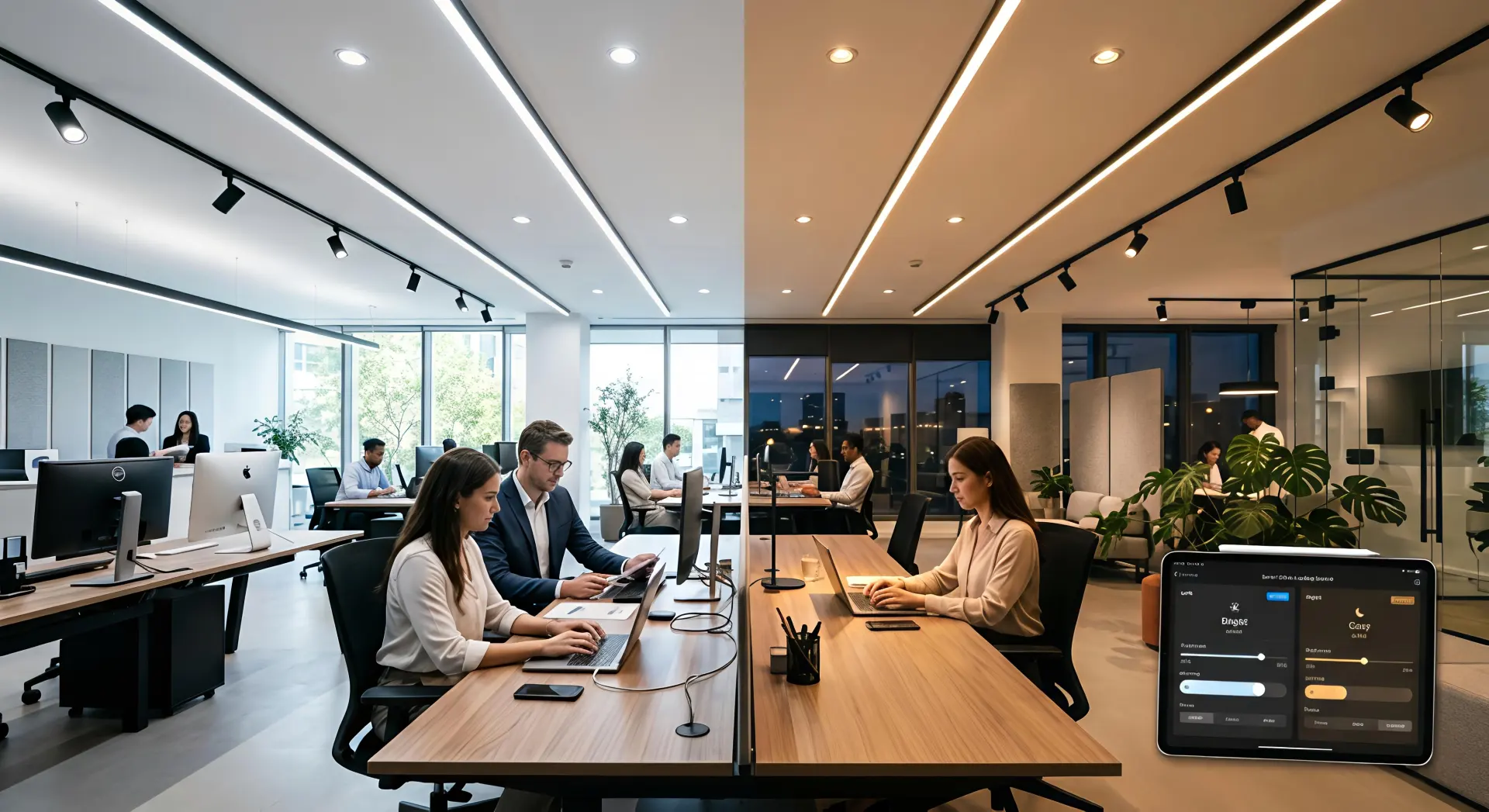
In modern commercial environments, lighting fixtures form the physical structure, while control systems define how that structure performs. A well-designed Human Centric Lighting System is not just about dimming or color tuning—it is about coordinating luminaires and intelligent controls to replicate natural light patterns and support human well-being.
By integrating technologies such as DALI, DALI-2, occupancy sensors, and scene-based automation, lighting systems can actively respond to time, activity, and environmental changes. When combined with professional luminaires like track lights, downlights, and linear lights, these systems move beyond static illumination and deliver adaptive, responsive lighting experiences.
A complete system relies on both high-quality fixtures and advanced control logic. Only when optical performance and smart control work together can lighting truly support circadian rhythm, comfort, and productivity.
For more about DALI standards, refer to:
👉 https://www.dali-alliance.org
1. Understanding Human-Centric Lighting: Beyond Illumination
1.1 What Defines a Human-Centric Lighting Approach
A Human Centric Lighting System is designed to mimic the natural progression of daylight throughout the day. By dynamically adjusting brightness and color temperature, it aligns indoor lighting with human circadian rhythms.
Unlike conventional lighting, which focuses mainly on illuminance levels, this approach considers:
- Visual comfort
- Biological impact
- Emotional well-being
- Spatial experience
In practical applications, different luminaires play distinct roles:
- Downlights provide uniform ambient lighting
- Track lights deliver focused accent lighting
- Linear lights shape spatial atmosphere and visual rhythm
Individually, these fixtures serve specific purposes. When connected through a unified control system, they operate as a coordinated whole.
1.2 Why Smart Control Is Essential
Without intelligent control, even high-end luminaires remain static. Manual adjustments are inefficient and inconsistent, and they cannot respond to real-time environmental changes.
Smart systems transform lighting from passive to adaptive by enabling:
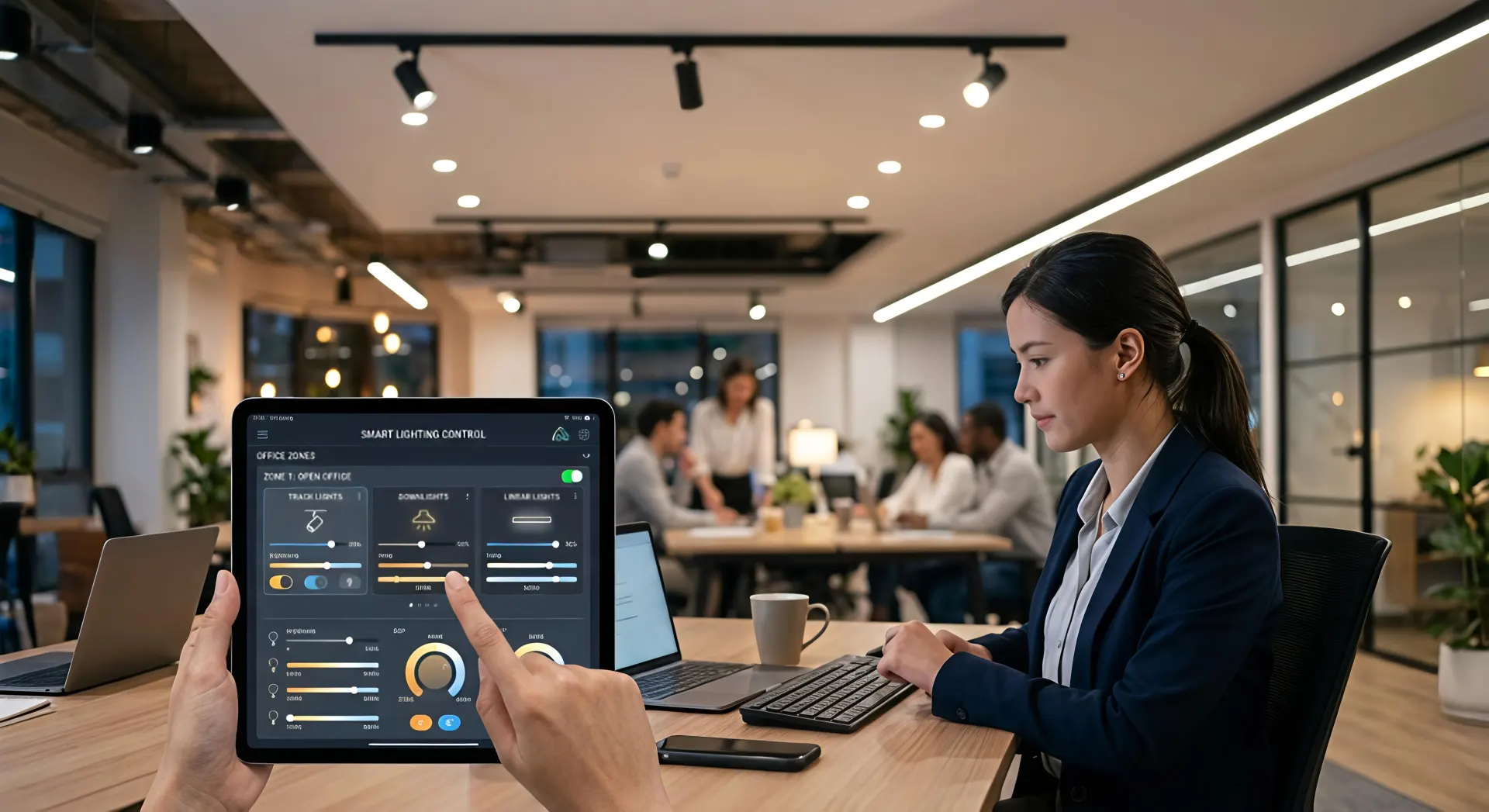
- Group and individual luminaire control
- Time-based automation
- Sensor-triggered responses
- Seamless coordination between fixture types
This allows track lights, downlights, and linear lights to continuously adjust, ensuring optimal lighting conditions while minimizing energy waste.
2. Dali and Dali-2: The Backbone of Intelligent Lighting Control
2.1 How Dali Supports Advanced Lighting Systems
DALI (Digital Addressable Lighting Interface) is a globally recognized standard for digital lighting control. It allows each luminaire to have its own address, enabling precise and flexible operation.
Compared to analog systems like 0–10V, DALI enables:
- Individual fixture control
- Group control
- Bidirectional communication
- Stable dimming and color tuning
DALI-2 further enhances interoperability and reliability, especially in large-scale projects.
2.2 Control Protocol Comparison
| Control Method | Key Features | Limitations | Best Use Cases |
|---|---|---|---|
| DALI / DALI-2 | Individual control, tunable white, scalable | Higher initial setup | Offices, retail, large projects |
| 0–10V | Simple dimming, low cost | No color control, no addressing | Basic downlight systems |
| Bluetooth Mesh | वायरless deployment, flexible | Signal stability issues in large spaces | Small or retrofit projects |
2.3 Benefits of Dali in Multi-Fixture Systems
- Precision control: Smooth dimming from 0–100%, down to 0.1% with advanced drivers
- Color consistency: DT8 ensures synchronized color temperature across fixtures
- Scalability: Easily expands to hundreds of luminaires
- Compatibility: Works with multiple brands and fixture types
- Energy efficiency: Adjusts output based on real demand
For technical specifications:
👉 https://www.iec.ch (International Electrotechnical Commission)
2.4 Integration with Track Lights, Downlights, and Linear Lights
A high-performance system depends on fixture quality:
- Gimbal Downlights: Low glare (UGR < 16), high CRI (≥95), suitable for offices and retail
- Track Lighting Systems: Flexible, directional lighting with individual control
- Linear Lighting: Continuous, diffused light for ambient and architectural effects
These fixtures, when connected via DALI, create a layered and dynamic lighting environment.
3. Sensor Integration: Making Lighting Responsive
3.1 How Sensors Work Within the System
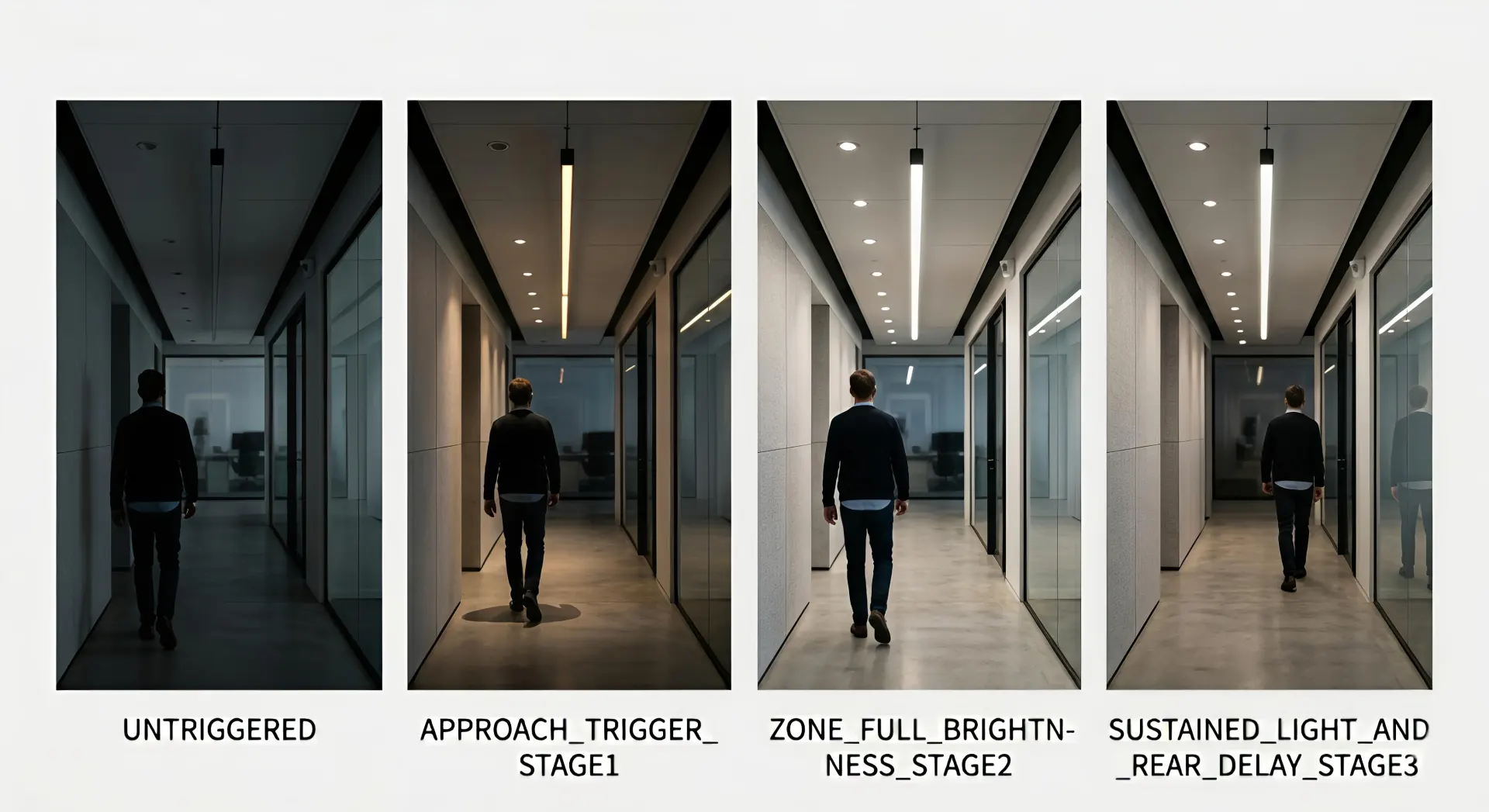
Occupancy sensors act as the system’s input layer. They detect presence and trigger lighting responses automatically.
Typical behavior:
- Occupied → lights turn on or adjust
- Unoccupied → lights dim or switch off
This eliminates manual control and improves efficiency.
3.2 Types of Sensors and Applications
| Sensor Type | Function | Suitable Spaces | Fixture Combination |
|---|---|---|---|
| PIR Sensor | Detects motion | Corridors, offices | Downlights + Linear lights |
| Ultrasonic | Detects subtle movement | Meeting rooms | Downlights + Track lights |
| Daylight Sensor | Measures natural light | Open offices | All fixture types |
3.3 Key Advantages
- Improved user comfort
- Reduced energy consumption (up to 30–50%)
- Consistent circadian lighting patterns
- Lower maintenance requirements
4. Scene-Based Automation: Adapting Lighting to Activities
4.1 What Is Scene-Based Lighting
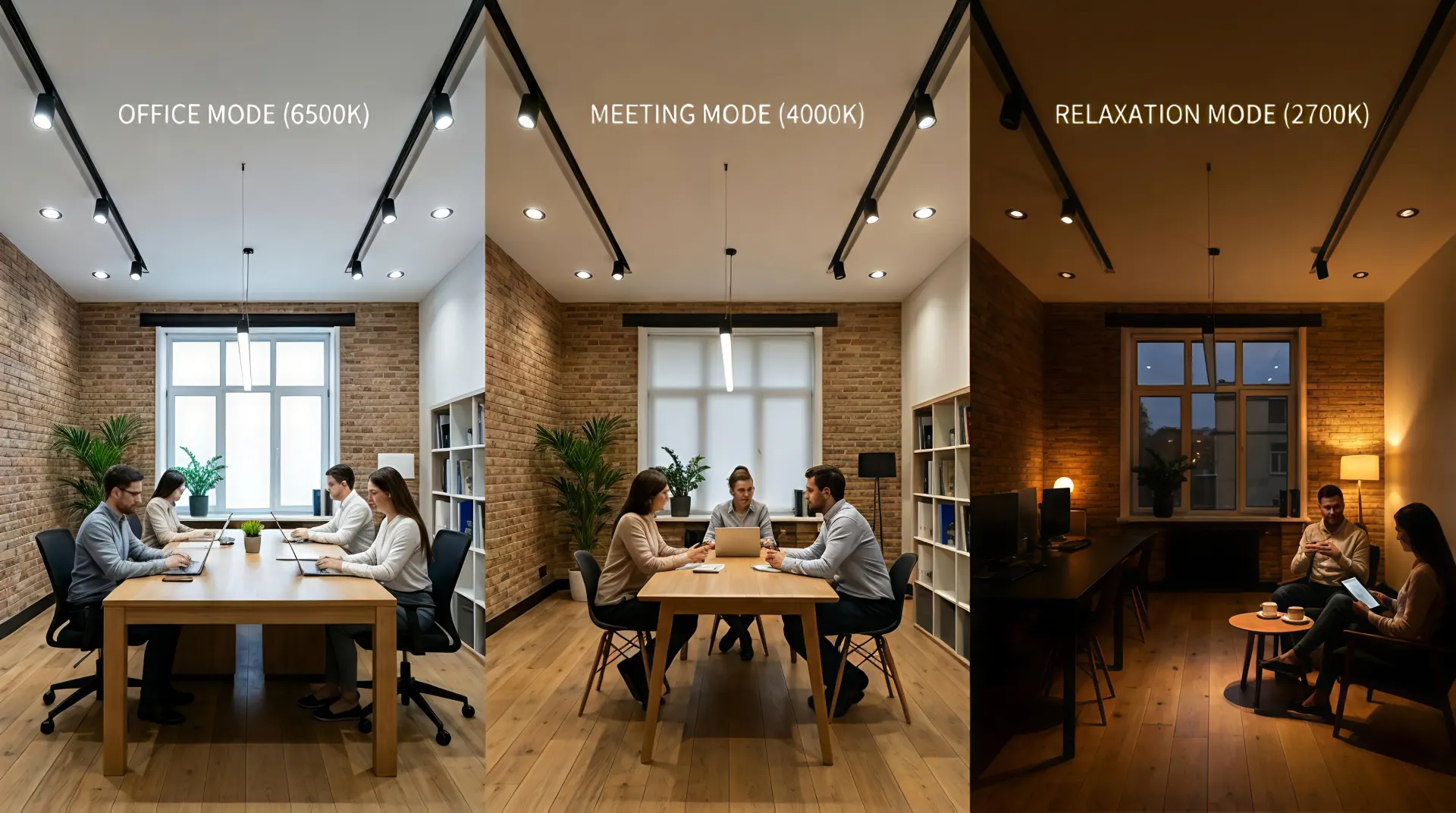
Scene-based control allows predefined lighting settings to be activated instantly or automatically.
Each scene defines:
- Brightness
- Color temperature
- Fixture behavior
4.2 Example Scene Settings
| Scene | Downlights | Track Lights | Linear Lights |
|---|---|---|---|
| Focus | 80%, 5000K | 90%, 5000K | 50%, 4500K |
| Meeting | 60%, 4000K | Off | 40%, 4000K |
| Relax | 30%, 3000K | Off | 30%, 3000K |
| Off-work | 20%, 2700K | Off | 10%, 2700K |
4.3 Coordination Between Systems
Scene automation relies on:
- DALI for execution
- Sensors for triggering
- Software for configuration
This ensures all luminaires respond together without manual input.
5. Application Scenarios with Integrated Lighting Design
Office Spaces
- Combination: Downlights + Linear + Track
- Focus on productivity and comfort
- Dynamic daylight simulation
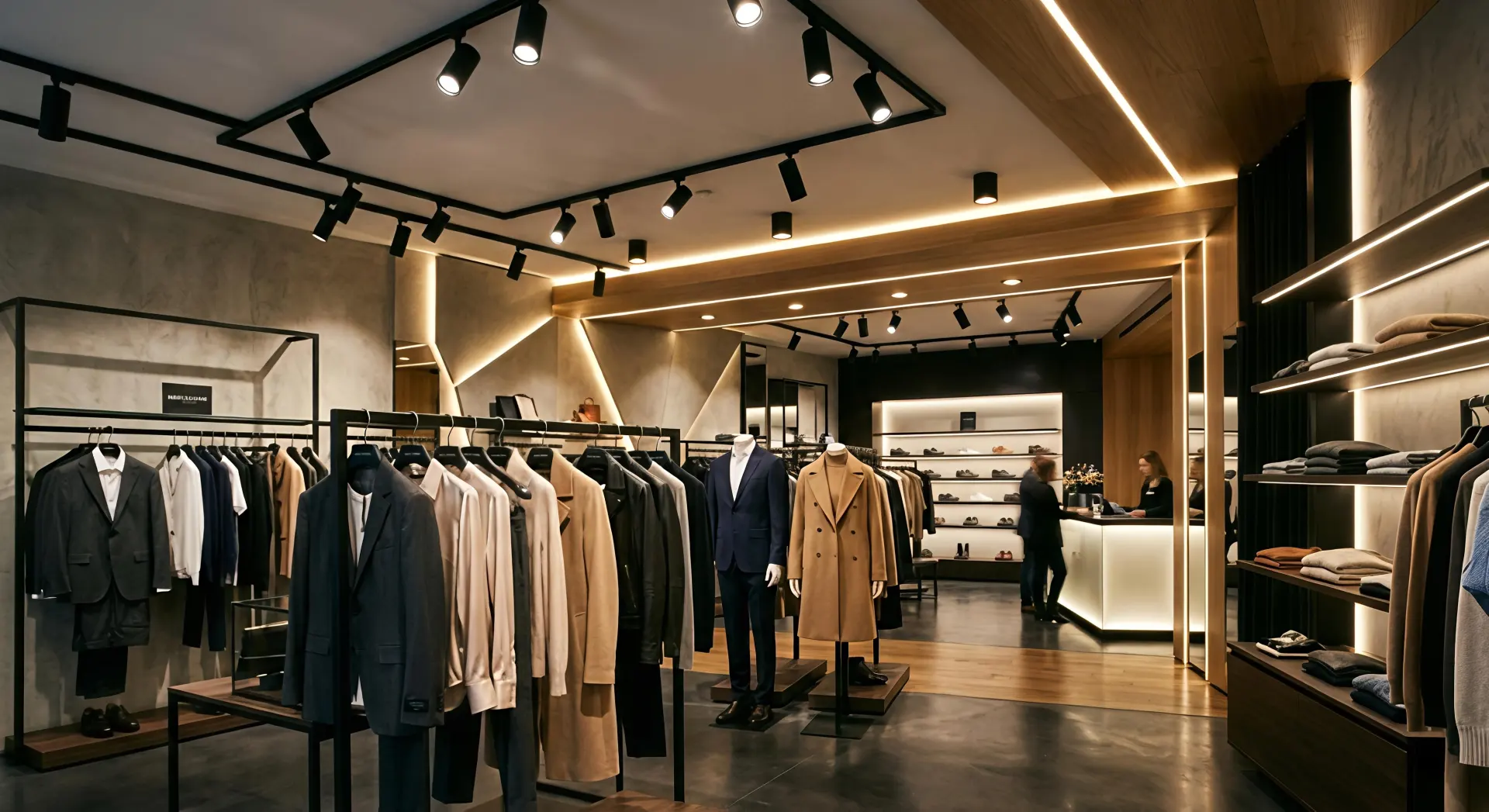
Retail Stores
- Track lights highlight products
- Downlights provide base lighting
- Linear lights enhance spatial depth
Healthcare
- Soft, low-glare lighting
- Stable color temperature transitions
- Focus on patient comfort
Education
- Balanced illumination
- Reduced glare
- Adjustable lighting for different activities
6. Simulating Natural Light Cycles
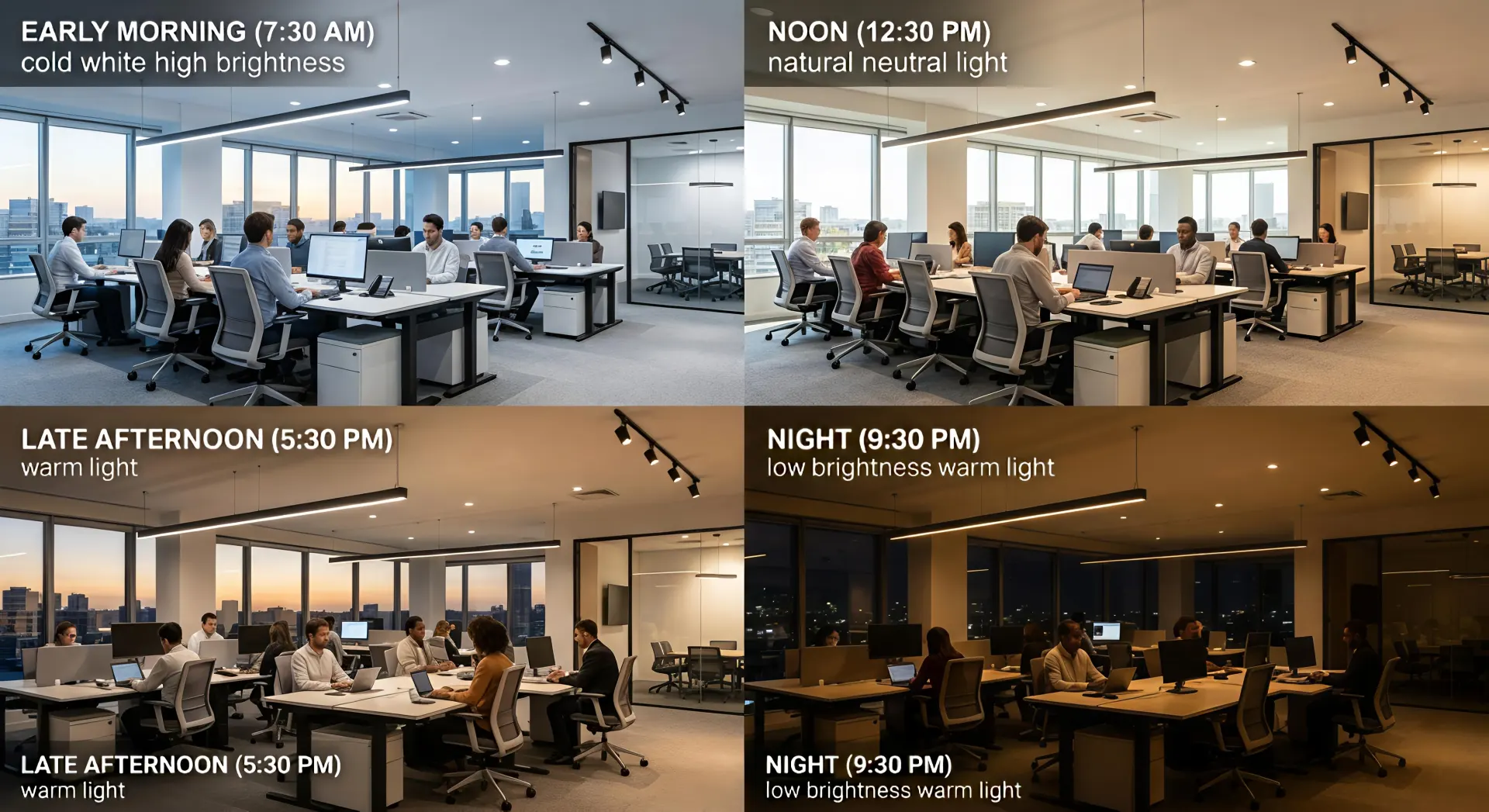
A well-designed Human Centric Lighting System follows natural light patterns:
- Morning: Cool white (5000–6500K), higher intensity
- Midday: Neutral white (4000–5000K), stable output
- Evening: Warm light (2700–3000K), reduced intensity
- Night: Low-level warm lighting
Track lights, downlights, and linear lights work together to achieve this gradual transition, ensuring visual comfort and biological alignment.
Conclusion
The future of lighting is no longer defined by fixtures alone, but by how intelligently they are controlled. A well-executed Human Centric Lighting System integrates DALI protocols, sensors, and automation to create responsive, efficient, and human-focused environments.
By combining smart control with professional luminaires, lighting becomes adaptive, energy-efficient, and aligned with real human needs—delivering not just illumination, but a better way to experience space.

